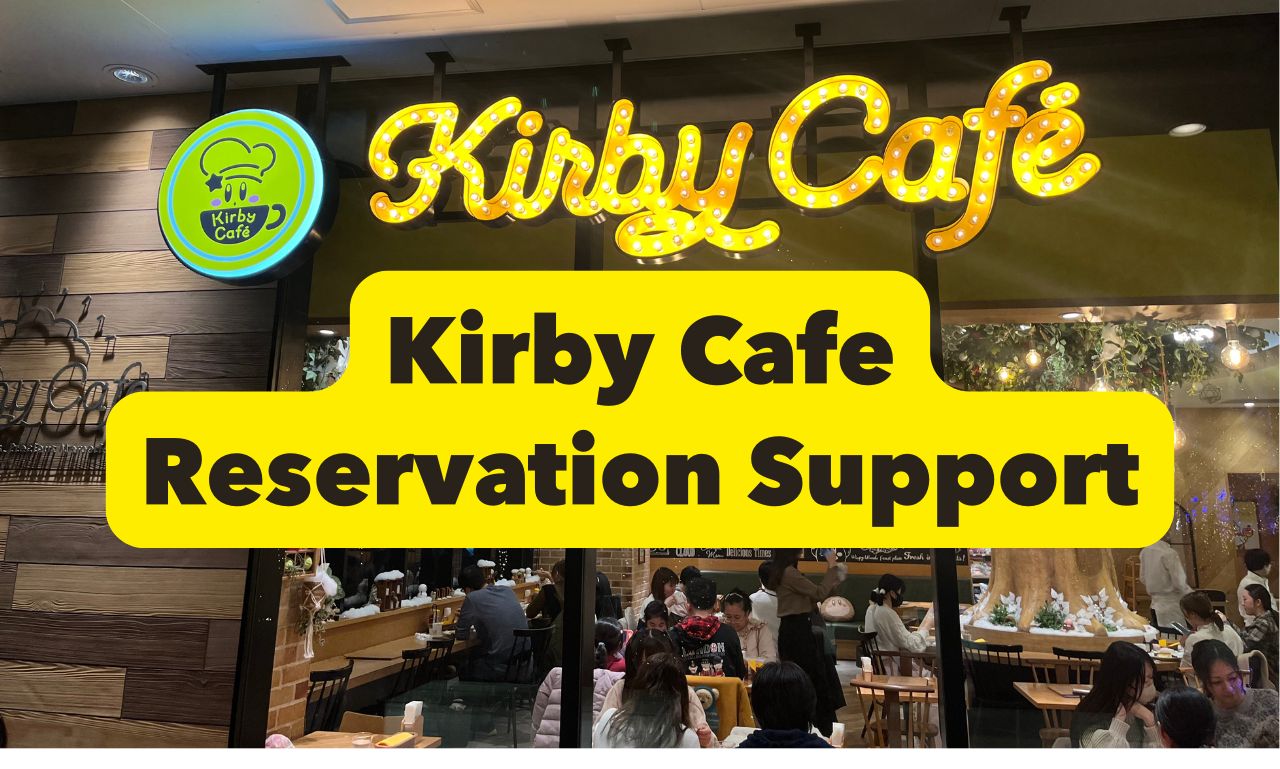
Hi, I’m Kai, a parent living in Japan.
My child is a huge fan of Kirby, so naturally, we wanted to visit the famous Kirby Café. But when I first looked into making a reservation, I was shocked to see so many people online saying things like:
“No matter how many times I try, I can’t get a reservation!”
“All the time slots are gone in seconds!”
Realizing how competitive it was, I knew I needed a strategy. After several attempts and learning from each one, I finally figured out what works—and now I’m able to get a reservation almost every month!
In this article, I’ll share real, practical tips based on my own experience successfully booking the Kirby Café multiple times.
If you’ve been dreaming of going but keep missing out on reservations, I hope this guide helps you finally get that table. Let’s make your Kirby Café visit a reality!
Why Is It So Hard to Get a Reservation at Kirby Café?
Kirby is incredibly popular in Japan—not just as a video game character, but as a cultural icon. In fact, during past collaboration events with restaurants in Japan, the overwhelming response from fans caused such chaos that some events had to be canceled entirely.
Currently, there are only three official Kirby Café locations: Tokyo, Osaka, and Fukuoka (Hakata). These cafés aren’t just for game and merchandise fans—they’ve become social media hotspots thanks to their cute themed dishes and exclusive limited-edition goods.
Because of this, people from all over Japan (and even abroad) rush to book a reservation the moment slots open. Reservations are often gone within minutes, turning the process into more of a ticket lottery than a simple café booking.
Is the Reservation System the Same for All Kirby Café Locations?
Although there are three Kirby Café locations—Tokyo, Osaka, and Hakata—the reservation process is completely unified, meaning the same tips and strategies apply to all of them.
So once you learn the simple tricks I’ll share in the next section, you’ll have a much better chance of getting a reservation at any of the cafés.
By the way, there are also Kirby Café PETIT shops located inside Tokyo Station and Tennoji in Osaka. These are takeout-only cafés and do not require reservations, making them a great option if you just want to grab some adorable Kirby-themed treats without the hassle of booking.
Now, let’s dive into the most important part:
How can you actually secure a reservation at one of the main Kirby Café locations?
I’ll walk you through all the tips and strategies you need to succeed.
How to Book Kirby Café Under the New 2026 System
Once you understand the new system, getting a Kirby Café reservation is still possible. The biggest change is that, for reservations from August 2026 onward, you must create a free account in advance and complete phone-number verification. This is not SMS code verification: you call a dedicated verification number from the phone number you registered. Create and verify your account before booking day so you are not doing this while seats are filling up.
Prepare your account first, then be logged in and ready before reservations open.
Why did the reservation system change?
The official announcement describes the update as a way to improve service and strengthen security. Under the previous system, reservations did not require an account or phone-number verification, which made large-scale automated bot bookings easier. Adding an account and phone verification makes this kind of automated booking more difficult.
When Do Kirby Café Reservations Open?
Kirby Café normally releases reservations at 6:00 PM Japan Standard Time (JST) on the 10th of each month for visits during the following month. Japan does not use daylight saving time.
| City | Local time when booking opens |
|---|---|
| Singapore | 5:00 PM on the 10th |
| New York | 4:00 AM EST / 5:00 AM EDT on the 10th |
| Los Angeles | 1:00 AM PST / 2:00 AM PDT on the 10th |
| London | 9:00 AM GMT / 10:00 AM BST on the 10th |
| Sydney | 7:00 PM AEST / 8:00 PM AEDT on the 10th |
All three cafés use the same account-based reservation system. Start from the official Kirby Café reservation site, then choose TOKYO, OSAKA, or HAKATA after logging in.
Create a Kirby Café Account Before Booking
The registration pages are in Japanese, but the process is manageable for overseas visitors. Registration has four official stages: enter your profile, verify your phone number, log in with the temporary password, and change that password.
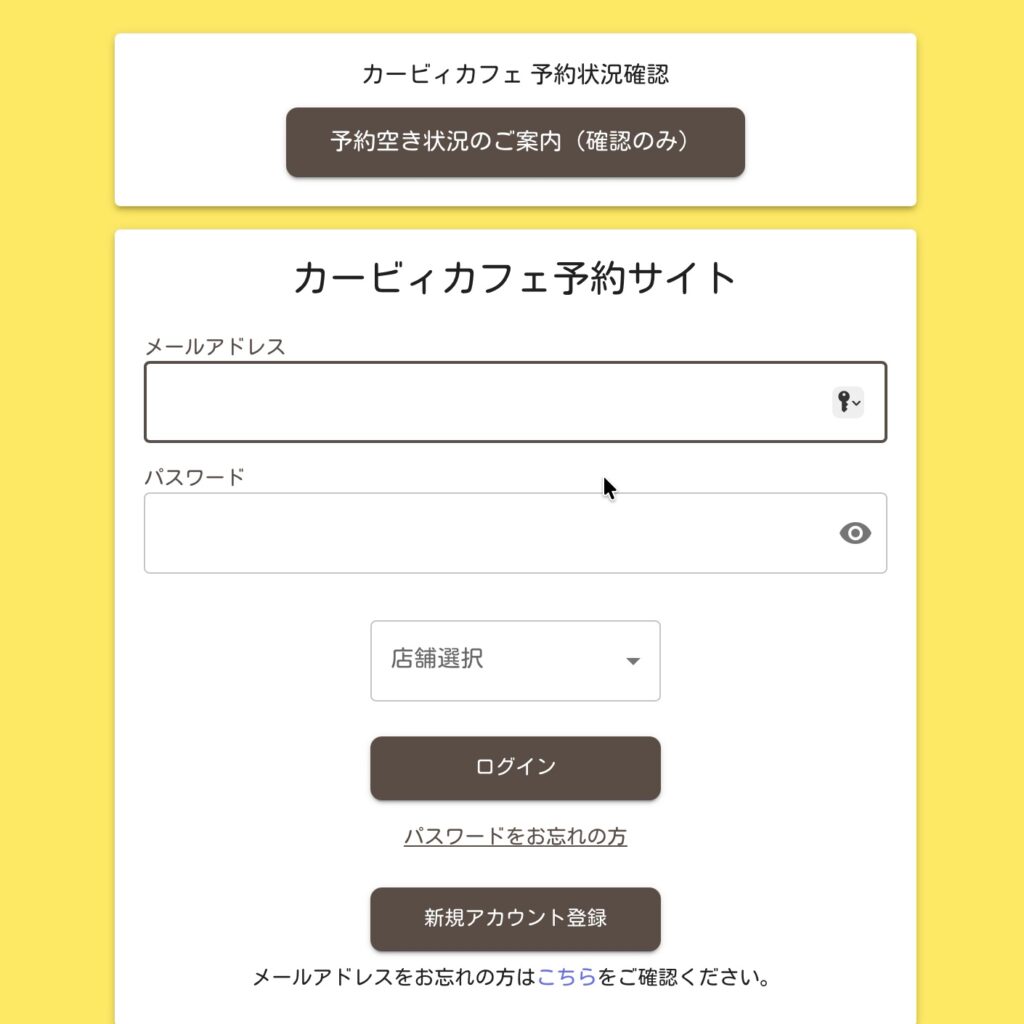
Account Step 1: Open the Registration Form
Open the official reservation site and tap 「新規アカウント登録」, which means “New Account Registration.” You can register even before the next month’s seats are released.
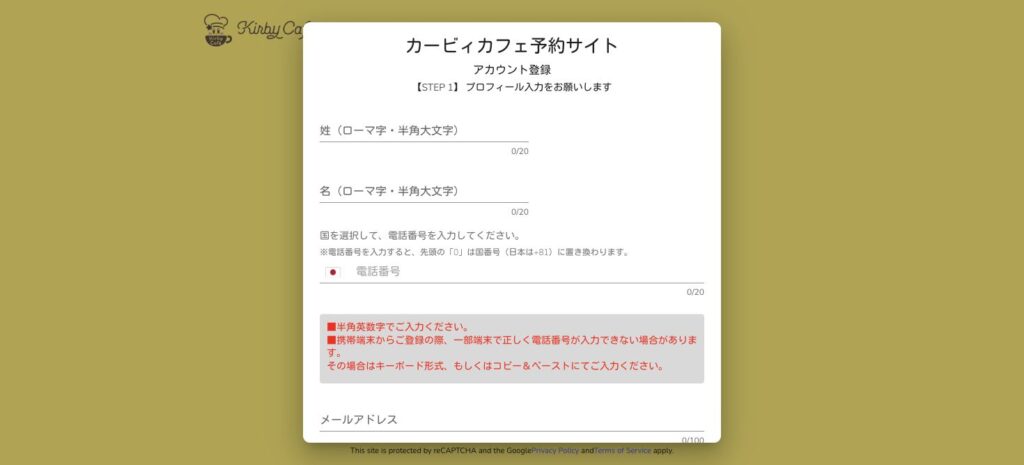
Account Step 2: Enter Your Name, Phone Number, and Email
- 姓(ローマ字・半角大文字): Family name in uppercase Roman letters, for example SMITH.
- 名(ローマ字・半角大文字): Given name in uppercase Roman letters, for example EMMA.
- 国を選択: Select your country, then enter the phone number you can use for verification. The form converts the leading zero to the selected country code.
- メールアドレス: Enter the same email address twice.
Use a phone that can make an outgoing call and sends caller ID. For email, a regular address such as Gmail is safer than a mobile-carrier address. Before registering, allow messages from @beneliccafe.com and check your spam folder.
Account Step 3: Submit the Temporary Registration
Tap 「入力内容を確認」 (Review entered information), check your details, agree to the privacy policy, and submit. You should then receive an account temporary-registration email with phone-verification instructions.
Account Step 4: Verify Your Phone Within One Hour
Call the dedicated verification number shown in the email from the same phone number you registered. Caller ID must be visible. The official FAQ says verification expires one hour after temporary registration; if it expires, register again from the beginning.
If you are outside Japan, make sure your mobile plan can place the required call before reservation day. International call charges or carrier restrictions may apply.
Account Step 5: First Login and Password Change
After successful phone verification, a completion email is sent to your registered address. Use the temporary password in that email to log in, set a new password, and confirm that you can access My Page. Your account is now ready.
Do this several days before the 10th. Waiting until reservations open leaves no time to fix a missing email or failed phone verification.
Kirby Café Reservation Steps: Login to Confirmation
STEP 1: Log In Early and Select the Correct Café
Log in before 6:00 PM JST, choose TOKYO, OSAKA, or HAKATA, and keep My Page ready. The monthly limit is three reservations per café, per account.
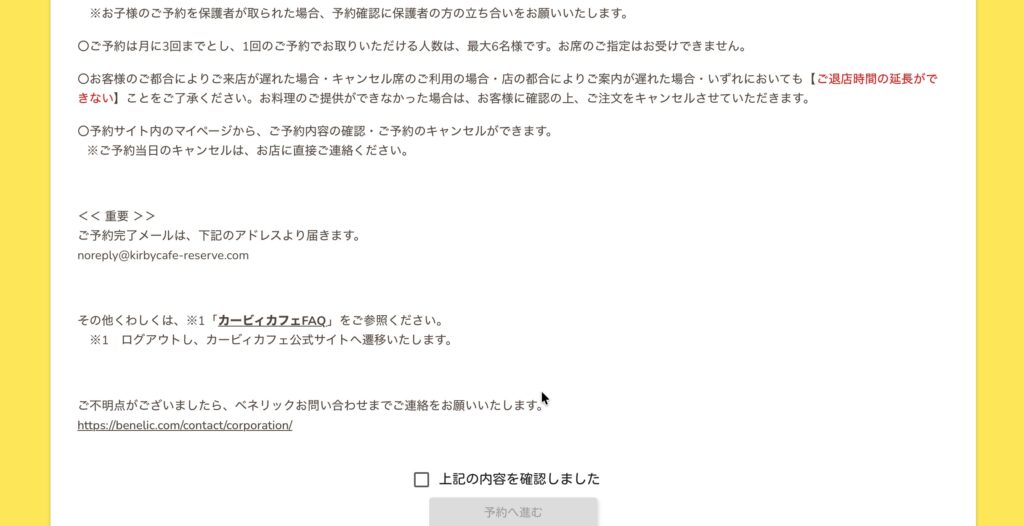
STEP 2: Read the Notice and Proceed to Reservations
Read the booking notice, check 「上記の内容を確認しました」 (“I have read the information above”), then tap 「予約へ進む」 (“Proceed to reservation”).
STEP 3: Choose Party Size, Date, and Time
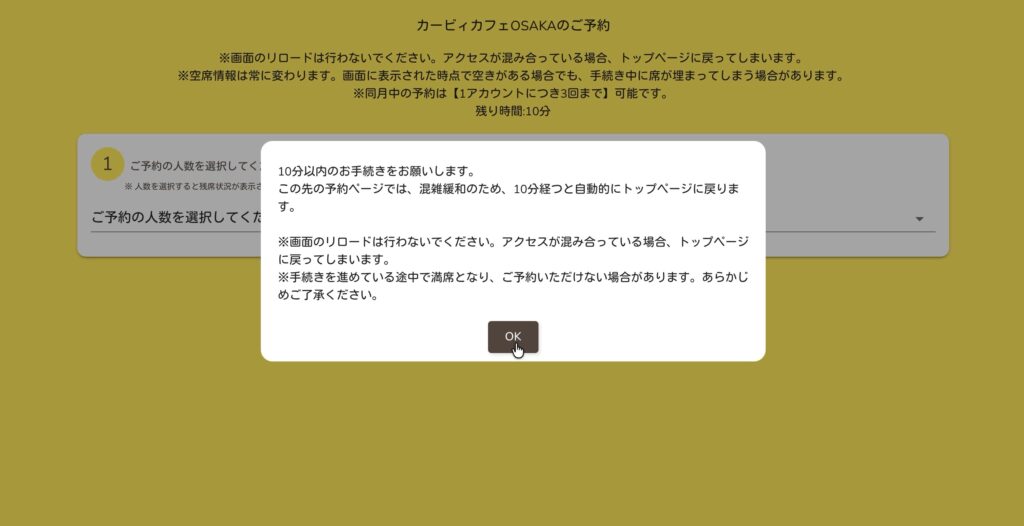
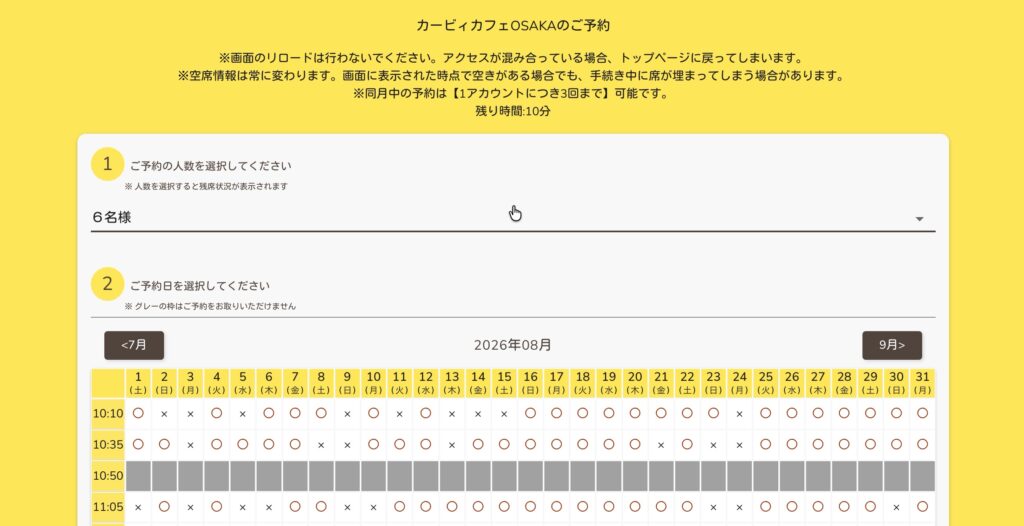
The booking screen has a 10-minute time limit. Choose your party size first, then select a date and tap an available time marked with a circle (○). TOKYO and HAKATA accept up to 8 guests per reservation; OSAKA accepts up to 6.
STEP 4: If the Slot Is Taken, Pick Another One
Another guest may claim the same slot a fraction of a second earlier. If you see 「現在予約を受け付けておりません」 (“This reservation is no longer available”), close the message and choose another ○ immediately.
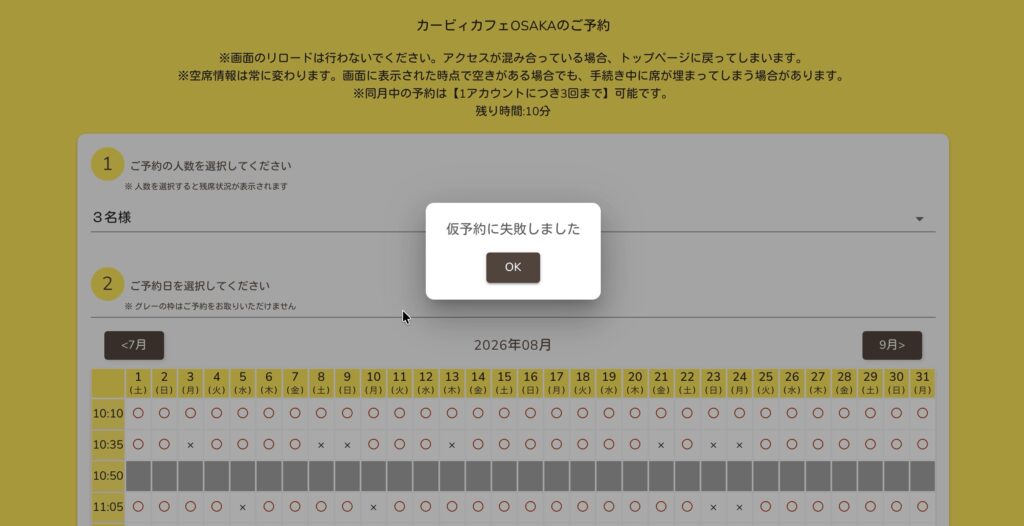
During the timed reservation flow, avoid reloading the page. If the site repeatedly shows the same error outside that flow, the official FAQ recommends closing the browser, clearing cache and cookies, and trying again.
STEP 5: Review the Details and Complete the Booking
When the temporary hold succeeds, review the café, date, time, party size, name, phone number, email, and any celebration option. Submit only after checking everything carefully.
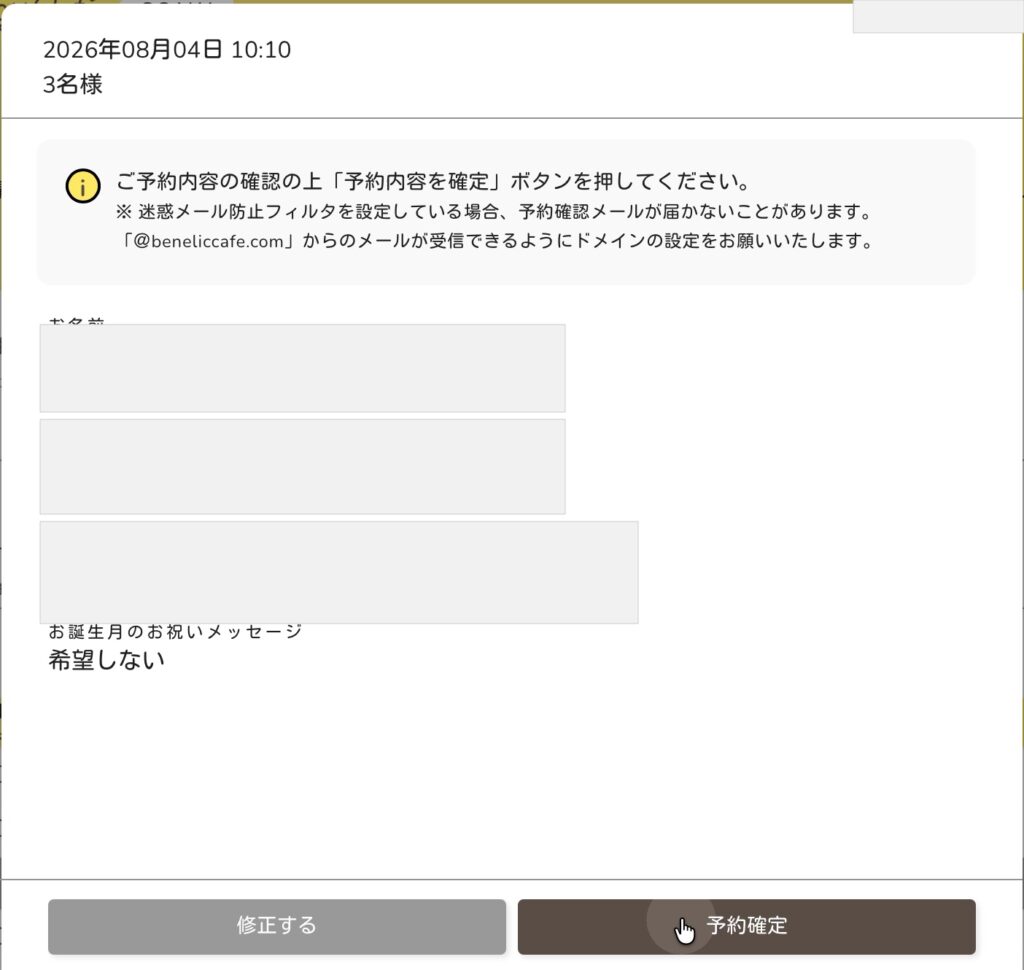

Finally, open My Page → 予約の確認とキャンセル (“View or cancel reservations”). If the booking is not listed there, the official FAQ says the reservation is not complete.
Before You Visit
- Bring photo ID matching the reservation holder’s details.
- Arrive about 10 minutes early. Late arrival reduces your available dining time.
- You can cancel in My Page until the day before your visit. For a same-day cancellation, call the café directly.
What If You Still Can’t Get a Kirby Café Reservation?
If you’ve tried everything and still can’t secure a reservation, or if you simply want a more reliable way to book, consider using a Japanese reservation proxy service.
Kirby Café Reservation Service
Can’t get a spot? I can help you try to book it from Japan.
Ask SAKURA ALLY directly → Book via Fiverr →You can request Kirby Café reservation help directly from SAKURA ALLY or place the order through Fiverr.
Direct requests are usually slightly more economical because Fiverr’s platform fees do not apply. Fiverr is still available if you prefer to place and manage the order through its platform.
Can You Visit Kirby Café Without a Reservation?
The official FAQ says guests without reservations may be admitted only when seats are available, but availability is never guaranteed.
We have visited Kirby Café several times. During those visits, we occasionally saw people asking whether they could enter without a reservation, but every one of them was turned away. Based on our experience, I strongly recommend booking online rather than planning around a possible cancellation.
What It’s Like to Visit Kirby Café Tokyo – My Real Experience
I’ve been lucky enough to visit Kirby Café Tokyo multiple times since I figured out how to get reservations.
Let me give you a quick overview of the café and what to expect when you visit.
Kirby Café Tokyo is located inside Tokyo Solamachi, the shopping complex right next to Tokyo Skytree.
There’s also an exclusive merchandise shop directly connected to the café, but access to this shop is limited to restaurant guests only. Normally, you visit this shop after your meal, since you actually pay your café bill there.
In addition, on the same floor but in a separate area, there’s another Kirby-themed shop that’s open to everyone—even if you don’t have a reservation at the café.
So if you couldn’t get a table this time, don’t worry! You can still enjoy some cute Kirby merchandise there.
Inside Kirby Café: What the Interior Looks Like
Here’s a look at what the inside of Kirby Café Tokyo is like!
First, the exterior of the café is already super charming. If you’re lucky enough to get a window-side seat near the front, you can even catch a glimpse of the Tokyo Skytree!
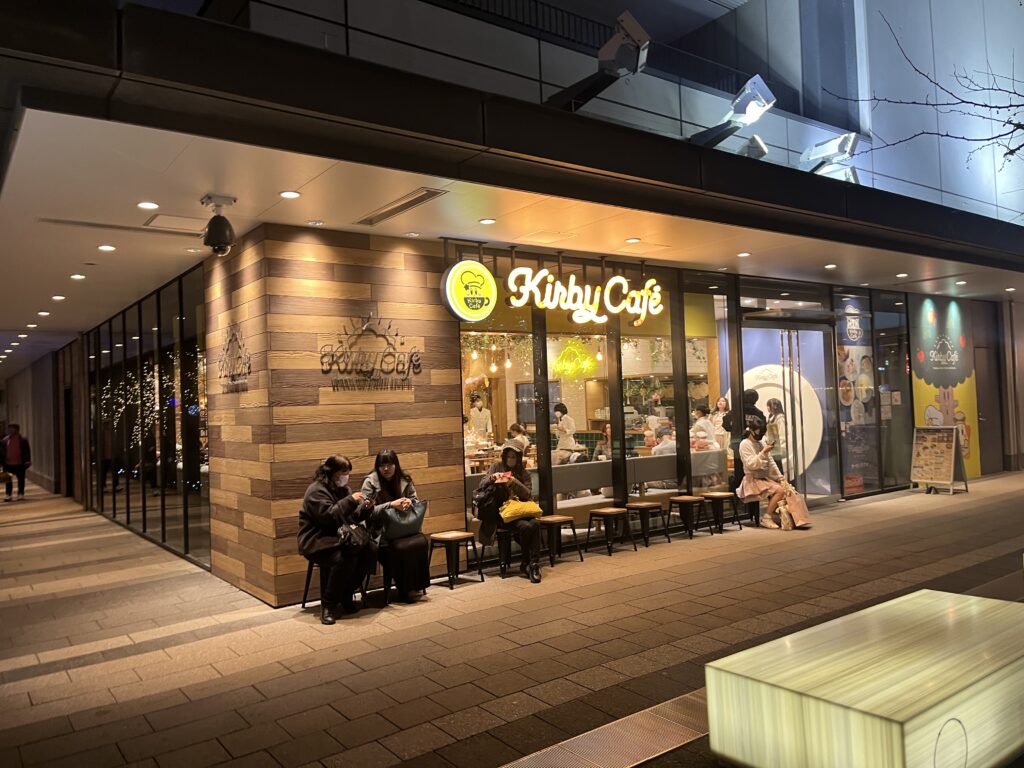
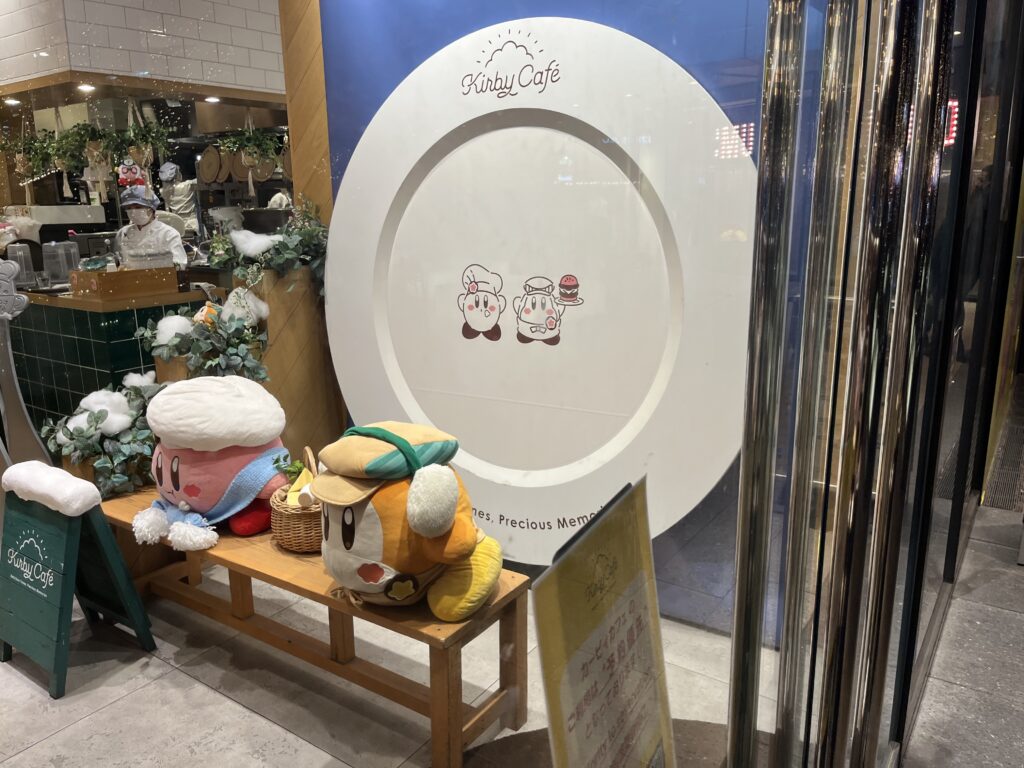
As soon as you enter, you’ll be greeted with a photo spot where you can take a fun commemorative picture before being shown to your table.
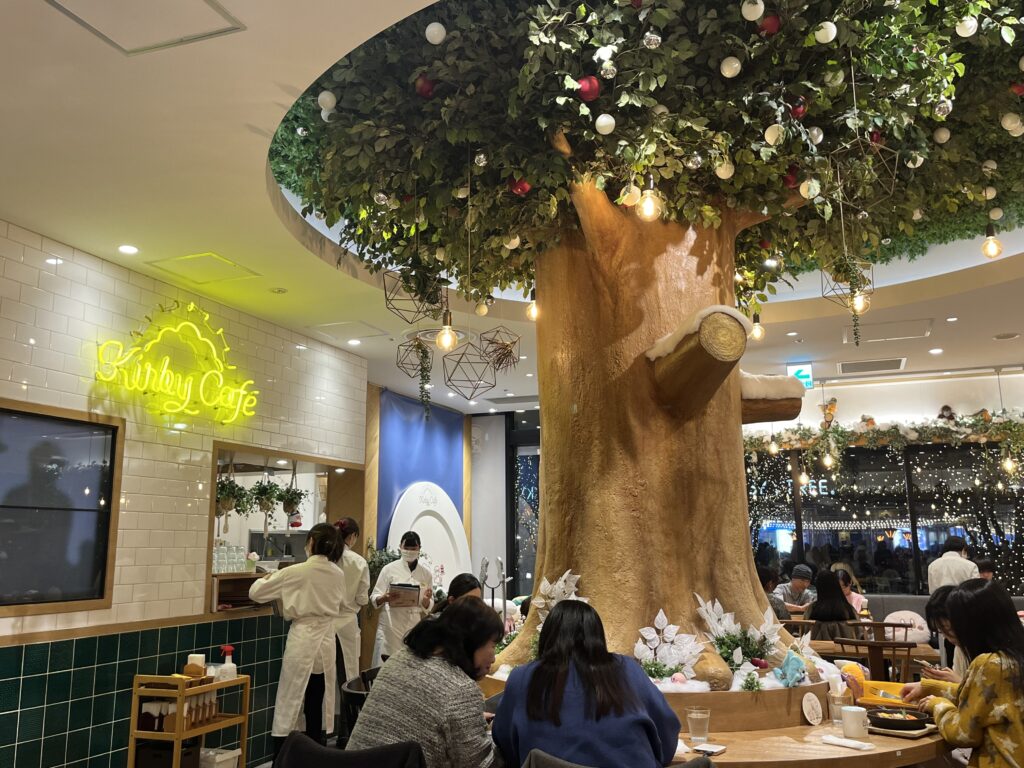
The seating area is spacious and comfortable, with a good amount of distance between tables—so you can enjoy your time without feeling crowded. It’s one of the little touches that makes the experience so pleasant.
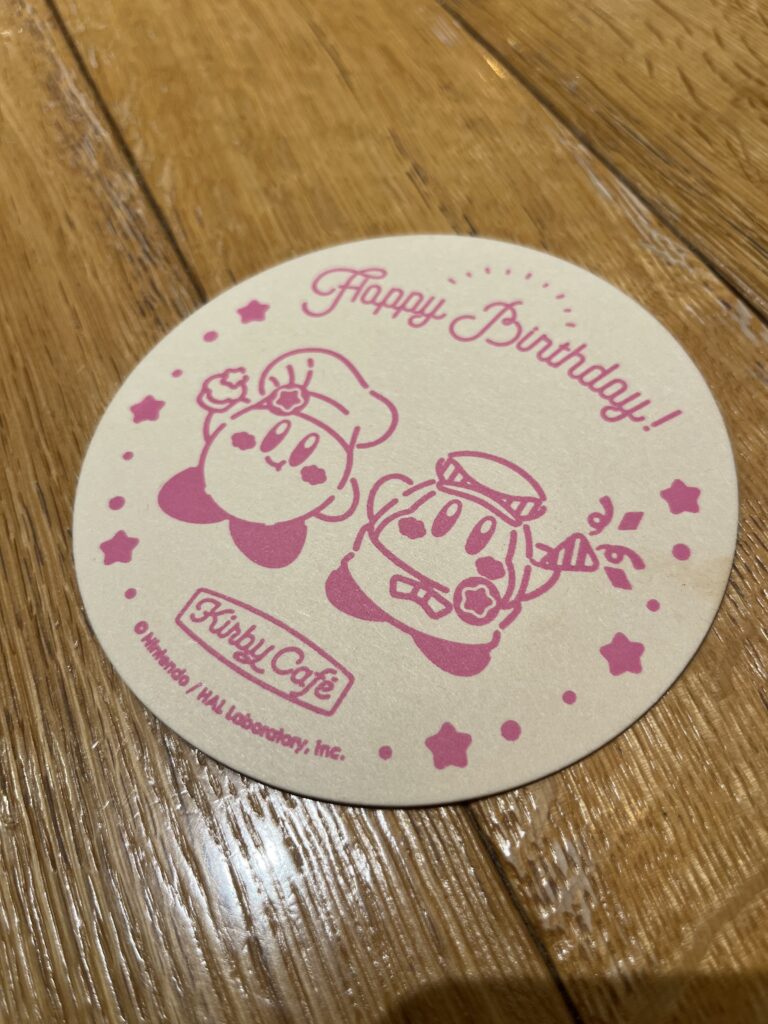
If you indicate that you’re celebrating a birthday during the reservation, you’ll receive a special birthday coaster as a gift!
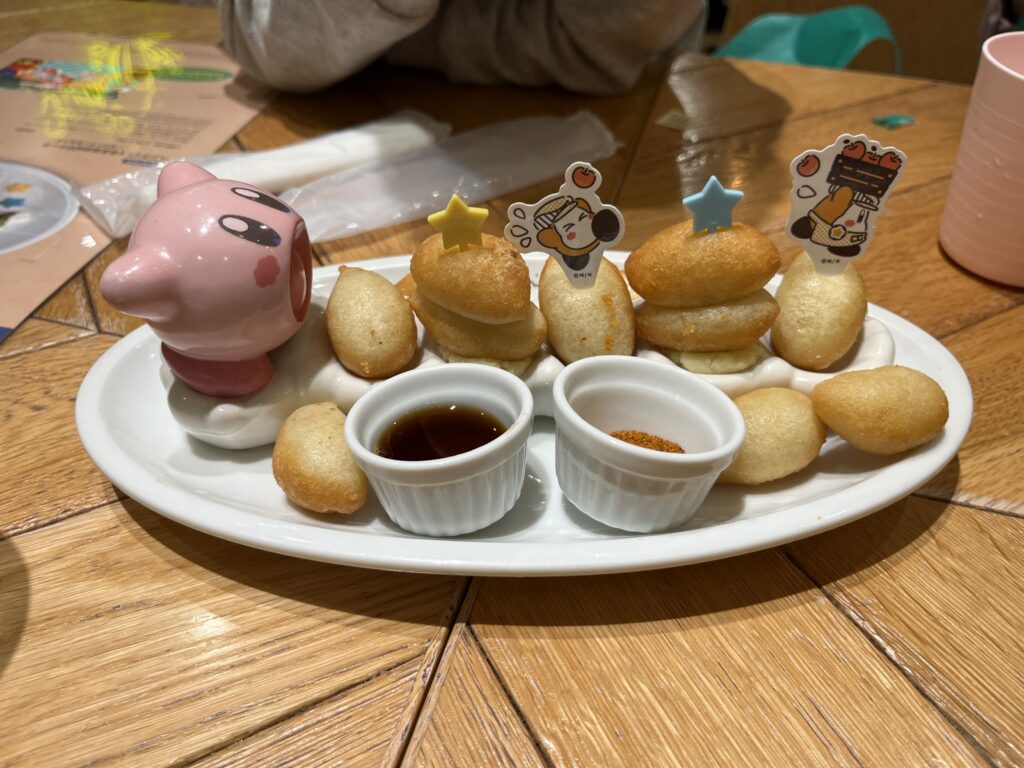
And no matter which dish you order, Kirby is always there, featured somewhere on the plate—adorable!
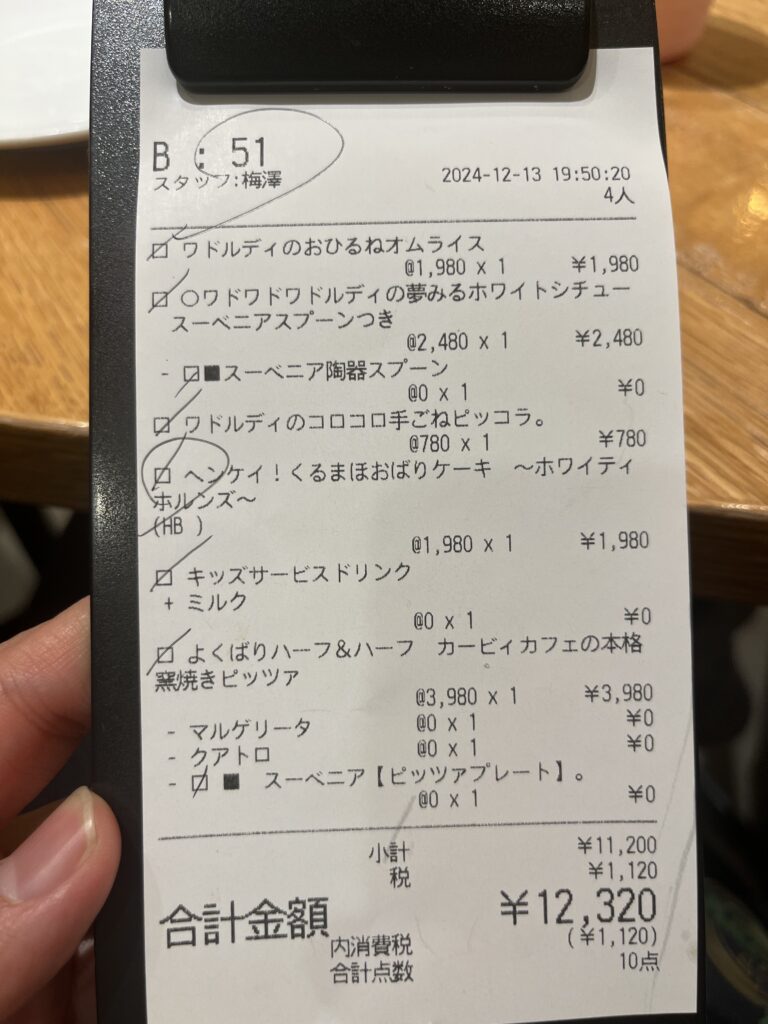
For reference, when we went as a group of 2 adults and 2 children, our total bill came to ¥12,380.
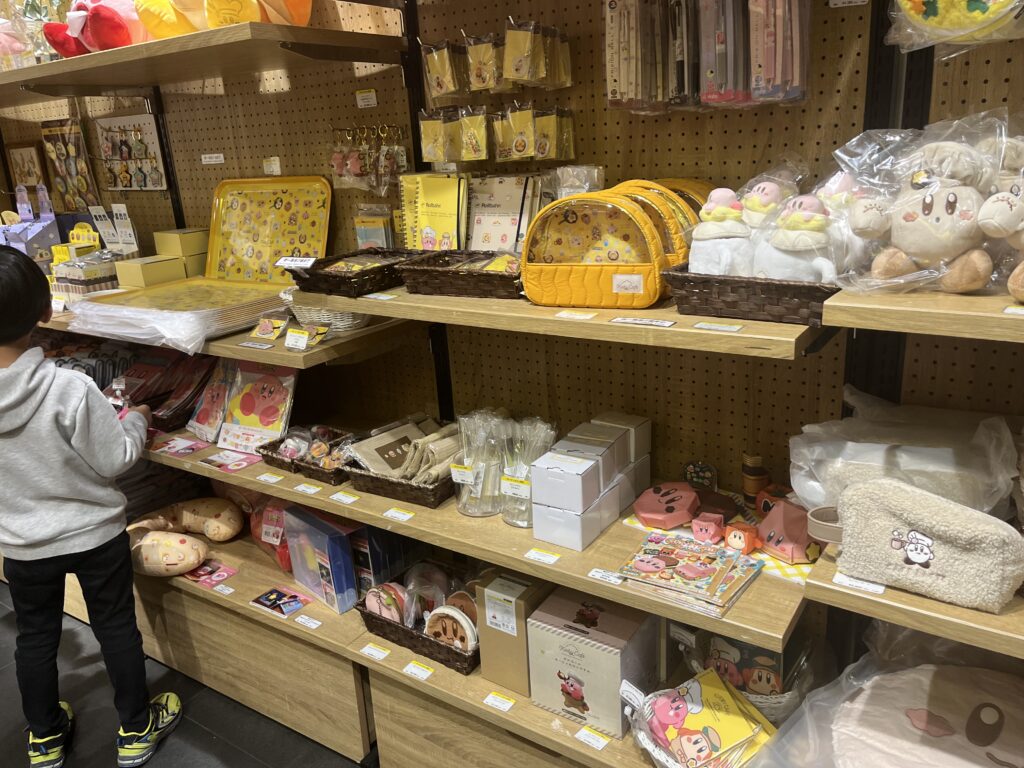
Before leaving, we took some time to browse the merchandise and pick up a few cute souvenirs. A perfect end to a magical visit!
Kirby Café Reservation Tips Recap (2026 System)
- Create and verify your account several days before booking.
- Be logged in before 6:00 PM JST on the 10th.
- Choose your party size first, then tap an available ○ quickly.
- Complete the reservation within 10 minutes and avoid reloading the booking screen.
- Confirm that the reservation appears in My Page.
The new account system adds preparation, but it also makes booking confirmation and cancellation easier to manage. Good luck, and I hope your Kirby Café visit is as magical as mine was!
If you would like reservation help, you can contact SAKURA ALLY directly or book through Fiverr.
Good luck, and I hope your visit to Kirby Café is as magical as mine was!


Comments